Category: Website

  • I got a great deal on hosting…

    This morning was a bit cloudy though warm.

    So I spent part of the morning with my wife.

    We’ve been doing the front lawn and hedge. The last cut for both the lawn and edge was about two weeks ago.

    And we thought today would be a good day to get this done.

    Friday I’d started backing up my websites in preparation for moving to a new hosting company.

    I’d been thinking of moving from Siteground to Namecheap for a while now.

    Especially with the rise in cost for Siteground.

    But was just put off with having to set up all the emails I have and setting up the email config for the autoresponders that I also use.

    But, over the past couple of days, I bit the bullet and moved over to Namecheap.

    There is a deal that was too good to pass up.

    For two years of hosting with Namecheap, it was just $53.88.

    Against $467.27 for a year’s hosting with Siteground.

    (A no brainer really.)

    If you ever decide to move hosting company, then you will need to make sure first that you have a backup of your site(s).

    The best WordPress plugin to do this yourself is Duplicator Lite.

    This creates a backup of your site. With an installer file.

    Or you can do a manual backup of your WordPress site and database.

    One thing to note if you do use a plugin such as Duplicator to do backup …

    …then your best to upload the backup of your site via FTP to the new hosting company.

    Rather than trying to use the cPanel.

    Zaf.

    P.S. Get on my list and get this free video…

    The New Way To Create Multiple Streams Of Long-Term, Passive Affiliate Commissions.

    Beginner-Friendly – No prior experience, products, or technical skills are required.

    Hidden Content
  • How To Set Up 2-Factor Authentication

    A great tool I’ve been using now for a few years is Wordfence, I’ve just been using the free version and with the odd minor problems, it’s been very reliable.

    If you are not already you should be using some sort of security software for your website fortunately if you’re using WordPress for your website, there are lots of options to choose from both FREE and paid for.

    Wordfence has several features built-in with its built-in firewall you can keep a check on login attempts… which can be both surprising and a bit alarming!

    But at least you know Wordfence is doing its job…

    This neat little tool even has the option to track the IP of the failed login attempts, using one of the tools in Wordfence called WHO Is which will also give you the option to “Block This Network”.

    With a built-in malware scanner and notifications, you get via email when there’s a problem, such as a plugin that’s out-of-date.

    Another cool feature is under the login security with various options the main one being two-factor authentication (which provides an extra layer of security).

    To use this, you’ll need a mobile authentication app such as Microsoft Authenticator or Google’s Authenticator.

    Just install the app on your mobile device and add an account on the Microsoft Authenticator app click the plus and select “Personal account”.

    You’ll then get an option to “Scan QR code”, selecting this then brings up the option to scan the QR code.

    And if you’re using the Google Authenticator app, click the plus and select “Scan a QR Code”.

    Once you’ve added the code the app gives you into the required box an option to download the recovery codes will pop up…make sure to store somewhere save so that you’ll remember the location.

    Once this is set up the next time you log in, you’ll then be presented with a box for the authentication code that you’ll need to get from the app.

    Although this is providing extra security you want to also make sure you do regular backups on of the advantages of using Siteground is that backups are done automatically on a daily basis.

    Let me know your thoughts good or bad 🙂

  • The Bizarre Case of the Vanishing Village

    The Bizarre Case of the Vanishing Village

    In the late 1930s a very bizarre case occurred concerning a village near lake Angikuni, a fur trapper named Joe Labella was looking for shelter for the night, and he made his way to a nearby village he knew of and when he got there all the villagers had disappeared.

    The strange thing about this has everything including food and weapons had been left at the village.

    Lake Angikuni

    Labelle contacted the Royal Mounted Canadian police and an investigation began, in the nearby village burial ground a grave was found to be empty, not the result of any animals.

    Not from the village, several bodies of sledge dogs were found, they appeared to have starved to death. The strange part about this was nearby to these dogs were open stores of food. Also, there appeared strange lights above the lake at about the same time has the disappearance of the local villagers.

    What really happened?

    No one really knows but this story appeared in Frank Edwards book Stranger than Science; other versions in Whitley Strieber’s science fiction novel Majestic and Dean Koontz’s horror novel in the Sky, empty graveyards and over a thousand people missing.

    Speaking of bizarre and crazy things…

    Do you know what’s really crazy?

    Not making sure your website has any sort of protection, especially if you think that your site hasn’t anything worth stealing or being hacked for, but the truth of the matter is websites are hacked all the time.

    And do you know what?  in most instances, it’s not to actually to get hold of your data or screw up your website.

    It’s even sneakier than that. The server that your website is on could be used to send spam emails, be used as a temporary webserver to serve files of an illegal nature or be part of a botnet and more.

    What are the ways you can protect your website?

    If you’re using WordPress on a hosting company such as SiteGround, then the only thing you need to really worry about is making sure first that any plugins you do have installed are all up to date. That WordPress is on the latest version and that you have some security plugins installed on your site.

    Oh, and you have an up to date back-up of your website.

    website security

    Make sure that you use a hard to guess the password, with a mix of upper- and lower-case letters, numbers and special characters such as the@ symbol. You could even go as far as setting up a 2-step authentication process for the admin login for your WordPress website.

    And make sure to use different passwords for different logins.

    Please feel free to leave your comments below 🙂

  • Site stuck in maintenance mode

    Site stuck in maintenance mode

    Last night I came home from work and was cooking my dinner (well at least I was trying to)

    I open the oven door and all the blooming electric just went off.

    What the fu*ck I thought.

    The electric tripped out, and everything went off lights and all the electric appliances plummeting the whole house into darkness. At first, I thought we’d had a power cut, after checking the electric box and flipping the trip switch back on.

    candel

    I carried on cooking my dinner, all seemed well till I opened the oven door.

    Guess what happened? Yep, the electric tripped again. I checked my food and it was barely warm. Luckily the cooker is insured and we’ve got an engineer coming Wednesday morning.

    Well, I guess tonight I’m having beans on toast!

    Happy Birthday Son

    Today’s my lad’s 11 birthday and we’re at Kangaroo in Nottinghamshire, a big indoor area where they do multiple activities for children, trampolines, ball pits and more. A fantastic place to take the kids.

    Man, it’s windy today…

    Well, we arrived at about 2:15 pm, and it’s packed solid we’ve got a 40-minute wait.

    And it’s noisy as hell it’s making my tabs hurt lol.

    On the way back home, we stopped in at McDonald’s all in all my son really enjoyed his birthday.

    After a busy day I then sat down and…

    I decided to check out one of my websites to see if there were any updates.

    I had 5 plugins that needed updating. So, as usual, I selected all the plugins that required updating.

    All seemed to be going fine until I got a message saying:

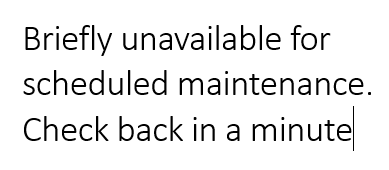
    Briefly unavailable for scheduled maintenance check back in a minute

    Ok, I thought, 5 minutes later it was still saying site in maintenance mode and I even refreshed

    The page. Oh, “Crap”, I thought to myself. A quick google and I found a simple fix, well simple if you have a bit of technical knowledge.

    Deleting the dot maintenance file from your hosting account

    The fix is to delete the dot maintenance file from your websites public folder. Now there are two

    Ways you can do this, either through your hosting site, using either cPanel or your hosting site’s equivalent of cPanel. Depending on your hosting company you may need to enable hidden files and folders option.

    I use SiteGround for my hosting, on SiteGround if your using their replacement for cPanel you must go to your website then click on site tools this will then bring you up this option:

    Dashboard site

    Click on the site option which will then bring up the file manager option on the left-hand pane.

    Dashboard site file manager

    Click the file manager to then bring up the file browser for your website and then click on the folder public_html folder.

    public_html folder

    This will then show all the files and folders in the right-hand pane. Click on the dot maintenance file and then click on the bin icon at the top to delete the dot maintenance file.

    Using FileZilla to delete the dot maintenance file

    The other option is to use an FTP program such as FileZilla

    If you’re using FileZilla, you need to make sure you have created an FTP account for your domain on your hosting account for your website.

    Once you’ve done this, you’ll need either your domain name (yourdomain.com), your username and password, and the port is usually default of 21. Once you’ve entered these details just click quick connect, then choose your domain from the top right-hand pane of FileZilla.

    FileZilla Domain name

    Double click the domain name in the right-hand pane, see above picture. This will then bring up the below in the same pane.

    FileZilla publ_html

    You’ll then need to click on the public_html folder (right-hand pane above picture) this will then bring up the below:

    Scroll down until you see the dot maintenance file and click on the dot maintenance file. Then right-click and choose to delete from the menu as below…

    Then try opening your site hopefully this has sorted this problem out for you.

    If you have any question, feel free to shoot me an email…

    P.S. If you’re using Cloudflare for your site then you won’t be able to FTP to your site using your domain name or your server name unless you use your server’s IP address.